Settings.json

Useful properties for the .vscode/settings.json

My settings.json

My settings.json is available here: al-settings

Code Analyzers

al.codeAnalyzers enables specific code analyzers that validate your code against best practices.
More info - Code analysis tool

There is also a LinterCop extension that provides additional code analyzer - ${analyzerFolder}BusinessCentral.LinterCop.dll
Instruction how to enable it, is in the extension documentation.

Warning

If you enable AppSourceCop, you need to create an AppSourceCop.json file in the project root with your appsource prefix, i.e.

{
    "mandatoryPrefix": "AMC"
}

Otherwise when you build your app, you will receive this error:
“error AS0054: The AppSourceCop configuration must specify one of the following properties: ‘mandatorySuffix’, ‘mandatoryPrefix’, or ‘mandatoryAffixes’”

Custom Rule Set

al.ruleSetPath specifies path to the json file with your custom ruleset i.e. ./custom.ruleset.json al.enableExternalRulesets enables external rule sets.
More info about the custom rule set - Rule Set

alOutline.codeCleanupActions

Provided by AZ AL Dev Tools/AL Code Outline extension.
It describes what action will be run when AZ AL Dev Tools: Run Code Cleanup is invoked: AZ AL Dev Tools/AL Code Outline AZ AL Dev Tools/AL Code Outline
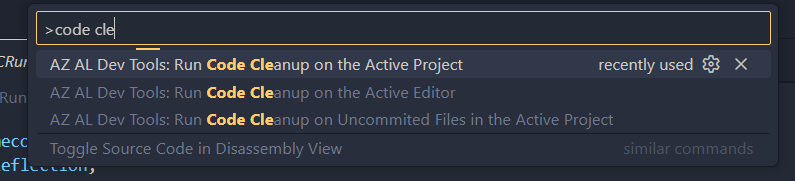
Some of the actions need additional parameters, you can specify them after you run the code cleanup.
If you don’t want to select them each time, you can set the default values in the settings.json, i.e.

  • alOutline.defaultDataClassification
  • alOutline.defaultRemoveEmptyTriggersSettings
  • alOutline.reuseToolTipsFromDependencies
  • alOutline.defaultRemoveUnusedVariablesSettings

More details can be found here:

The available actions:

{
"alOutline.defaultDataClassification": "CustomerContent",
"alOutline.defaultRemoveEmptyTriggersSettings": {
    "removeTriggers": true,
    "removeSubscribers": true,
    "ignoreComments": true
},
"alOutline.reuseToolTipsFromDependencies": [
    "*"
],
"alOutline.defaultRemoveUnusedVariablesSettings": {
    "removeGlobalVariables": true,
    "removeProtectedGlobalVariables": true,
    "removeLocalVariables": true,
    "removeLocalMethodParameters": true
},
"alOutline.codeCleanupActions": [
        "AddApplicationAreas",
        "AddDataClassifications",
        "AddEnumValuesCaptions",
        "AddMissingParentheses",
        "AddObjectCaptions",
        "AddPageFieldCaptions",
        "AddTableFieldCaptions",
        "AddToolTips",
        "CollapseEmptyBrackets",
        "ConvertObjectIdsToNames",
        "FixIdentifiersCase",
        "FixKeywordsCase",
        "FormatDocument",
        "LockRemovedFieldCaptions",
        "MakeFlowFieldsReadOnly",
        "OneStatementPerLine",
        "RefreshToolTips",
        "RemoveBeginEnd",
        "RemoveEmptyLines",
        "RemoveEmptySections",
        "RemoveEmptyTriggers",
        "RemoveProceduresSemicolon",
        "RemoveRedundantAppAreas",
        "RemoveRedundantDataClassification",
        "RemoveStrSubstNoFromError",
        "RemoveUnusedUsings",
        "RemoveUnusedVariables",
        "RemoveWithStatements",
        "SortCustomizations",
        "SortPermissions",
        "SortPermissionSetList",
        "SortProcedures",
        "SortProperties",
        "SortReportColumns",
        "SortTableFields",
        "SortTriggers",
        "SortUsings",
        "SortVariables",
        "TrimTrailingWhitespace"
    ]
}

CRS

Provided by waldo's CRS AL Language Extension.
The extension provides a lot of useful properties, including object and file name management.
More details can be found here: crs-al-language-extension